How I'm Mapping the ConTech Space with a Multi-Pass Scraping Pipeline
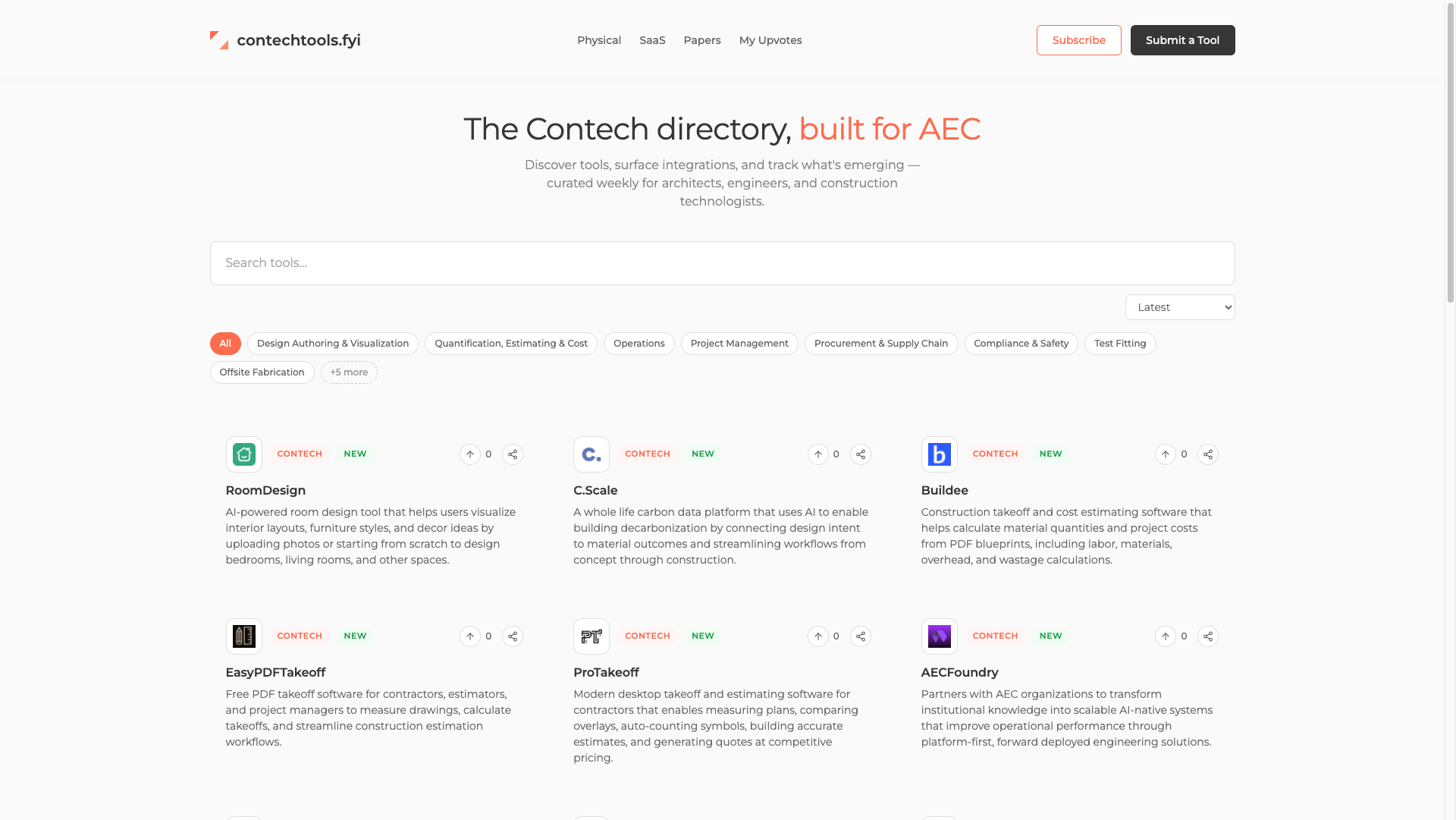
The construction technology market is sprawling, opaque, and growing fast. There's no authoritative registry. Vendors don't self-categorize consistently. "Project management" could mean scheduling, punch lists, daily reports, or all three. If you want a reliable picture of what tools exist and how they relate to each other, I have found you have to build it yourself.
That's the backbone of contechtools.fyi, a directory of construction and AEC-adjacent software, built incrementally from a scraping and classification pipeline that I've been refining over the past several months. The backend is Node.js paired with a Supabase Postgres database, and it uses the Anthropic API at every stage where human judgment would otherwise be required.
Here's how it works.
Phase 1: Extract Cleanly, Classify with AI
The first pass is intentionally light. The goal isn't to understand a company deeply — it's to capture enough signal to make a reliable classification and write a clean directory entry.
We use Puppeteer to render the page (necessary for the increasing number of SPAs in the space), then Cheerio for DOM manipulation to pull structured fields before anything hits the AI. The logic is simple: get what the DOM can give you for free, then let the model do the interpretive work.
// core/extractor.js
export class DataExtractor {
  extract(html, url) {
    const $ = cheerio.load(html);
    return {
      name:        this.extractName($),
      description: this.extractDescription($),
      email:       this.extractEmail(html),
      text:        this.extractText($)
    };
  }

  extractDescription($) {
    const desc = $('meta[name="description"]').attr('content');
    return desc ? desc.trim().substring(0, 500) : null;
  }

  extractText($) {
    $('script, style, nav, footer').remove();

    const contentSelectors = ['main', '.content', '.main-content', 'body'];
    let text = '';
    for (const selector of contentSelectors) {
      const content = $(selector).first().text();
      if (content && content.length > 100) { text = content; break; }
    }

    return text.replace(/\s+/g, ' ').trim().substring(0, 5000);
  }
}
The title, meta description, and cleaned body text — minus nav, footer, and script noise — are passed to Claude with a prompt that asks for: company name, a clean one-paragraph description, a type assignment (contech, saas, materials, or paper), and a set of keyword tags. The model is given constrained category options so it can't invent taxonomy on the fly.
The result writes directly into the companies table in Supabase. Status is set to completed and the record is live.
Phase 2: Deep Scrape — Text-First, Targeted
Phase 1 gets you a directory entry. Phase 2 gets you intelligence. The deep scrape runs as a separate pass against already-completed companies and is where the real analysis happens.
The approach is text-first: we want to minimize Puppeteer usage (slow, expensive in compute) and maximize what we can pull with plain HTTP fetches and DOM parsing.
The priority order:
llms.txt/llms-full.txt— Some modern SaaS products have already started publishing these for LLM consumption. If it exists, it's the cleanest possible input.sitemap.xml— Parsed to find high-value page URLs (integrations, API docs, pricing, about).- Targeted page fetches — Known paths like
/integrations,/developers,/aboutare fetched in parallel. Cheerio strips navigation, banners, cookie notices, and other DOM noise before extracting the text content. - Screenshot fallback — If total gathered text is under ~500 characters, Puppeteer takes a viewport screenshot and we send that to the model instead.
The Cheerio extraction for deep pages is more aggressive than Phase 1:
extractPageText(html) {
  const $ = cheerio.load(html);

  // Strip everything that isn't content
  $('script, style, noscript, iframe, svg, nav, footer, header').remove();
  $('[role="navigation"], [role="banner"], [role="contentinfo"]').remove();
  $('.cookie-banner, .cookie-consent, .gdpr, .popup, .modal').remove();

  // Prefer main content area
  let content = $('main, [role="main"], article, .content, #content, #main').first();
  if (content.length === 0) content = $('body');

  return content.text().replace(/\s+/g, ' ').trim();
}
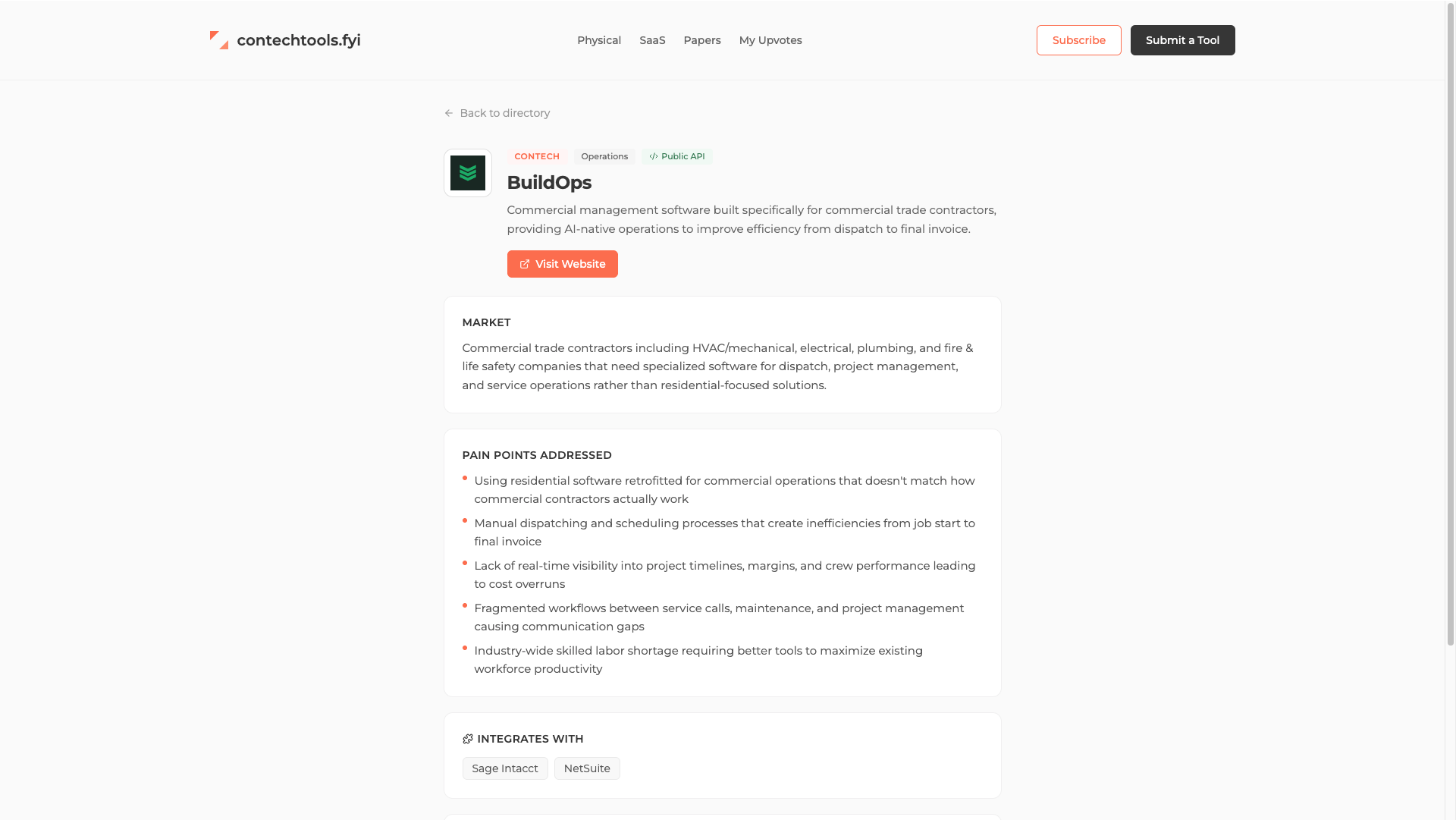
Everything gathered — across all pages, capped at 12,000 characters total — goes into a single structured prompt. Claude returns a JSON object with: target market segment, 3–5 pain points, whether the company has a public API (and if so, its docs URL), and a list of software integrations it works with.
This is the data that makes the directory genuinely useful rather than just a list of names.
The Recursive Loop: Competitors as a Discovery Engine
The most interesting part of the deep scrape isn't the analysis — it's what happens after it.
Once Claude has characterized a company, the scraper runs a second AI call against the full list of other companies in the database. The model identifies competitors based on market overlap (only flagging matches above an 85% confidence threshold), and — critically — it also identifies well-known competitors that aren't in the directory yet.
Those missing competitors get queued directly into the new_app_submissions table with a pending status. Every deep scrape is simultaneously a discovery pass. The pipeline feeds itself.
// After competitor analysis, queue suggested companies for future processing
const suggestedNew = result.suggested_new || [];
for (const suggestion of suggestedNew) {
  if (!suggestion.url) continue;
  await this.supabase
    .from('new_app_submissions')
    .insert({
      url:       suggestion.url,
      email:     'hello@alder.systems',
      newsletter: false,
      status:    'pending',
    });
}
The result is a directory that expands organically. Each company we add helps identify two or three more. The competitive graph builds itself out over time, and the taxonomy becomes more accurate as the density of the dataset increases.
What's Next: Multi-Turn Loops and Reclassification
Right now the deep scrape is a single-turn AI call per stage. That works well for most companies, but the most complex records, platforms with many distinct products, companies that operate across multiple market segments, would benefit from a more deliberate analysis loop.
The next iteration will introduce multi-turn analysis on the deep scrape: a first pass to extract raw intelligence from the site text, a second pass to challenge and refine the pain point framing, and a third to reconcile the competitive picture against what we already know about adjacent companies. This is particularly relevant for the integrations data, where a single page can mention dozens of tools at varying levels of specificity.
Alongside that, the reclassifier which currently runs as a standalone periodic audit to reassign sub-categories using editorial taxonomy will be folded into this multi-turn loop. Rather than treating classification as a separate post-processing step, the multi-turn pass will carry classification context through from the initial extraction all the way to the final competitive analysis. That means a company's category isn't just derived from its homepage; it's validated against the full body of intelligence we've gathered about it.
The goal is a dataset that's dense enough and clean enough to power the kind of analysis that actually helps someone buying or building construction technology — not just a better-sorted list, but a map of how the space fits together. I started on the frontend and worked my way back to the pipeline integrating AI APIs into my workflow instead of relying on pattern matching and static lists. With the right tools to produce the base information and well-designed context, the accuracy and quality of AI output has increased remarkably.
The interesting part for me is that, with the exception of the Anthropic API, this all runs on free tiers. The pipeline uses GitHub Actions for compute and cron jobs, Resend for emails, and is deployed on Vercel. I have a simple local admin UI for dealing with edge cases, but for the most part it runs each day and accumulates data.
If you are interested in this topic or if this use case would work for you, feel free to reach out.